A North Korean-linked cyber campaign is using fake macOS update screens to trick victims into installing malware.
The operation targets cryptocurrency wallets, browser data, and developer credentials, turning a routine web search into a possible entry point for a serious compromise.
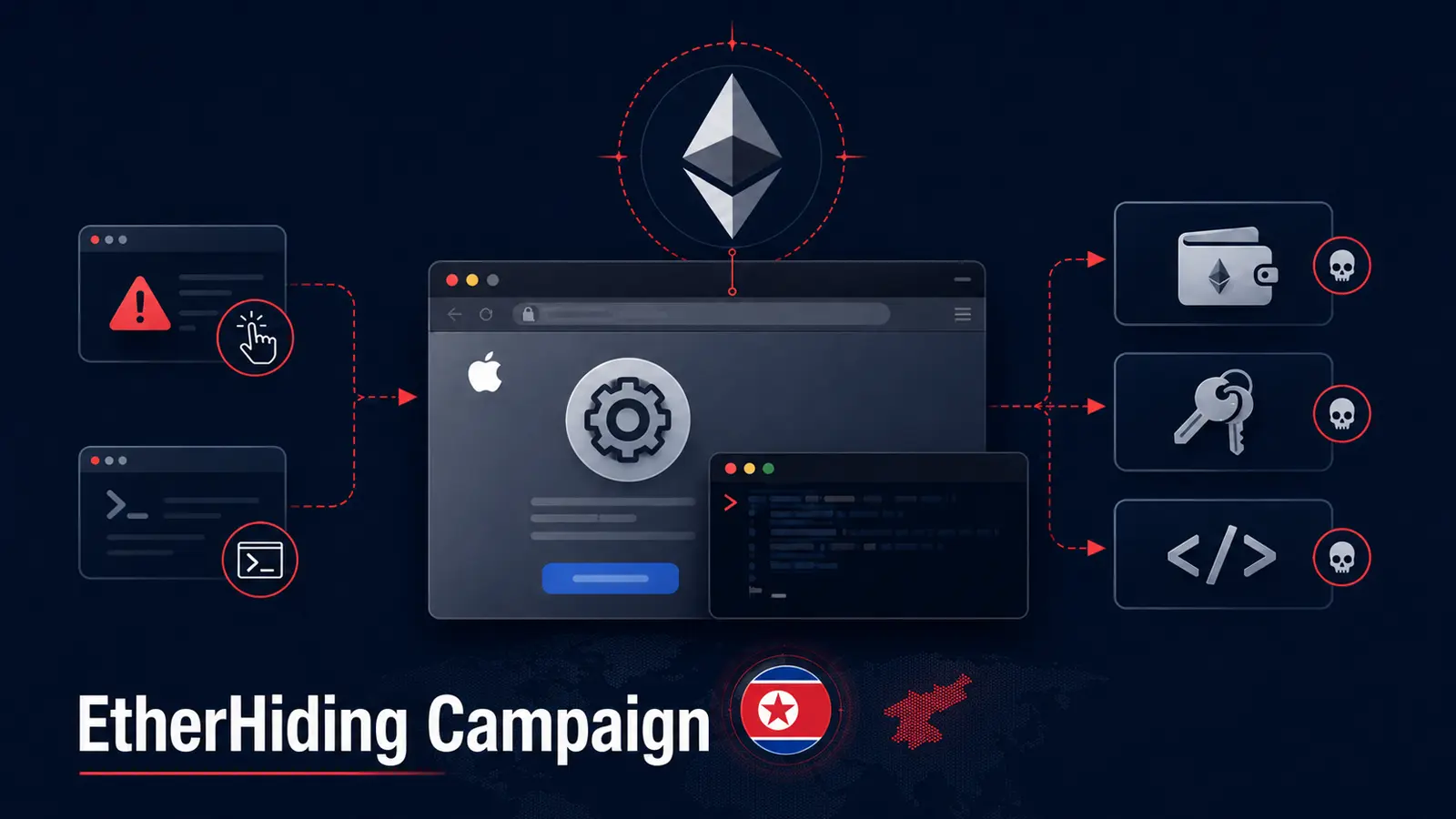
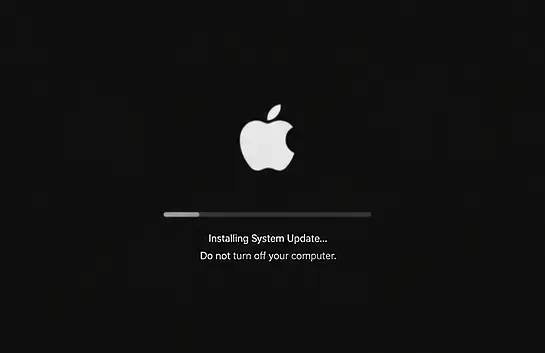
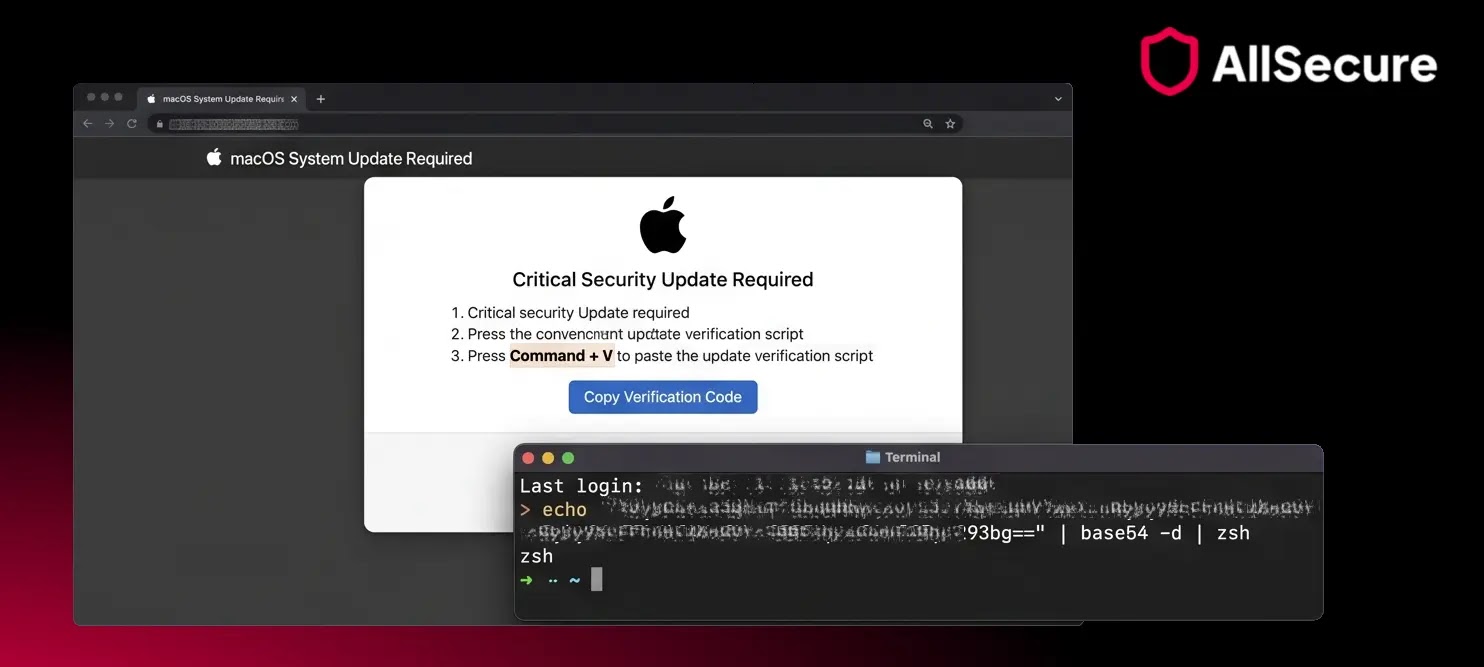
The attack begins with a ClickFix-style lure that makes a browser page look like a frozen or rebooting Mac.
Victims are told to open Terminal and paste a command that the malicious page has already copied to their clipboard, allowing the infection chain to start.
AllSecure analysts identified the activity while investigating a malvertising incident tied to ordinary online research.
The researchers linked the campaign’s methods to North Korean-associated UNC5342 and Contagious Interview activity, while noting that the delivery method expands beyond the usual fake job and developer recruitment lures.
The campaign is especially dangerous because it combines social engineering, remote access malware, wallet theft, browser extension hijacking, and blockchain-based infrastructure.
AllSecure said in a report shared with Cyber Security News (CSN) that the operation was designed to steal cryptocurrency and developer credentials from macOS users.
North Korean EtherHiding Campaign Targets Crypto Wallets
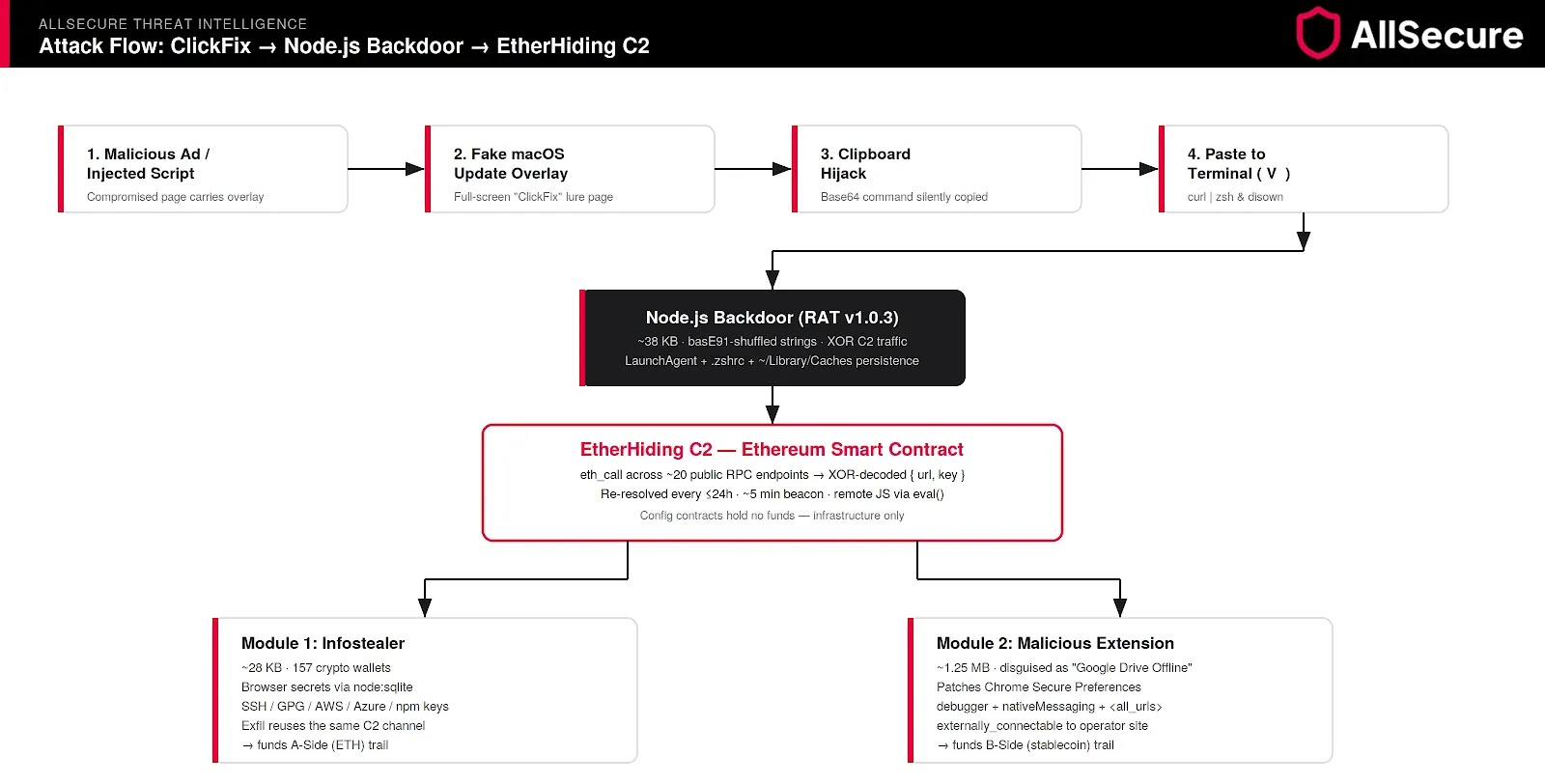
Once a victim runs the pasted command, a dropper can install Node.js and launch an obfuscated remote access trojan.
The malware does not rely on a fixed traditional server for its instructions. Instead, it queries Ethereum smart contracts to retrieve live command-and-control, or C2, details.
This approach is called EtherHiding. It makes disruption harder because the smart contract acts as a resilient configuration layer, while the attackers can update the destination infrastructure without changing the malware installed on the victim’s Mac.
A similar blockchain-resolver pattern has also appeared in recent EtherHiding malware activity.
The backdoor checks in roughly every five minutes and can execute JavaScript supplied by the attackers.
It also creates persistence through LaunchAgent entries, shell-profile changes, and hidden files in cache directories, enabling the malware to remain active after the system restarts. Researchers found two Ethereum configuration contracts embedded in the malware.
These contracts had no balance and were not used to hold stolen cryptocurrency, but they pointed infected devices toward separate infrastructure for the backdoor and the malicious browser extension.
Wallet Theft and Remediation
After establishing access, the malware deploys an infostealer that searches for data from 157 cryptocurrency wallets.
It also collects saved browser passwords, cookies, history, bookmarks, SSH material, cloud credentials, npm configuration files, and Foundry keystores that may expose development environments.
The campaign then silently adds a malicious Chrome extension disguised as Google Drive Offline.
The extension requests broad permissions, including browser debugging, cookie access, native messaging, and access to all URLs, creating a persistent way to watch or control browser activity.
This focus on developers raises risks beyond the direct loss of wallet assets. Stolen cloud keys, source-control credentials, and browser sessions can give attackers a route into corporate infrastructure, much like North Korean npm package attacks that targeted developers and sensitive project data.
The financial trail also shows the scale of the operation. AllSecure tracked 464.80 ETH, valued at roughly $890,000, moving into the backdoor-side attacker treasury through 281 transfers between late May and July 2026, although the researchers did not claim that both deployment chains had one confirmed operator.
Organizations should treat a device as compromised if a user pasted and ran the command.
It should be isolated immediately, examined for malicious LaunchAgents, altered .zshrc entries, suspicious cache-resident Node.js processes, and unexpected Chrome extensions.
Credentials should be reset from a clean device, and cryptocurrency assets should be moved using a clean wallet.
Users should also remember a simple rule: legitimate macOS updates never require someone to paste a command into Terminal, a warning echoed by macOS ClickFix attack reporting.
Indicators of Compromise (IoCs):-
| Type | Indicator | Description |
|---|---|---|
| SHA-256 | 529815d365a8ec8da165f3993ada3ad452381b56c736cd25cdf328968b4ab795 | Node.js RAT v1.0.3 |
| SHA-256 | 7eca7aef8dcc46f15349509ac3dff8c0a71295c233787872c3842e058f9d7c50 | Infostealer module |
| SHA-256 | 370a5ae7f91291559ce514f44c50430dd2c35ed866bedcf6ac5f4f896259fbed | Malicious Chrome MV3 extension |
| Domain | real-tumble.pro | Stage 0 delivery domain |
| URL | https://rg-telemetry.sbs/api | Backdoor C2 |
| URL | https://th-updates.sbs/analytics | Extension C2 |
| URL | https://eth-mainnet.rpcfast.com/?apikey=xbhWBI1Wkguk8SNMu1bvvLurPGLXmgwYeC4S6g2H7WdwFigZSmPWVZRxrskEQwIf | Hardcoded operator RPC API endpoint |
| Ethereum contract | 0x2acA749b59529f5CBCd6fbd34B35b1A546713dF6 | EtherHiding contract for backdoor configuration |
| Ethereum contract | 0x85a6d913aaC80286f01Fa082ef0B96C188673043 | EtherHiding contract for extension configuration |
| Contract selector | 0x3bc5de30 | Smart-contract getter selector |
| XOR keys | 9f10d0899beff7952f586a49305f8b14, 2752df77aeb348657f5fb59a22d65f4a | C2 traffic XOR keys |
| Extension name | Google Drive Offline | Malicious MV3 browser extension disguise |
| Ethereum wallets | 0x277765FB63601cE5A9814daf68aA2A57F54eA968, 0x89c5151236De544d077fC69813A4db89224EE8A1 | Attacker funder wallets |
| Ethereum wallets | 0xdf16a4d0a234a2bbc4d21645d4c7a19d2db8f192, 0x75ac1ebf164c6f2ac24e73bb4c9518b8d93559e2 | Attacker treasury hubs |
| Persistence artifacts | ~/Library/LaunchAgents/com.<random>.plist, appended .zshrc line, ~/Library/Caches/<random>, /tmp/<random> lock | Persistence-related artifacts |
| Host indicators | NODE_TLS_REJECT_UNAUTHORIZED=0, stopped NotificationCenter, Node.js running from Library/Caches, developer endpoint issuing eth_call | Behavioral detection indicators |
Note: IP addresses and domains are intentionally defanged (e.g., [.]) to prevent accidental resolution or hyperlinking. Re-fang only within controlled threat intelligence platforms such as MISP, VirusTotal, or your SIEM.